Every camera.A clearer picture.
Turn the cameras you already own into a connected security system. Detect what matters on site. Give your operators the evidence to act.
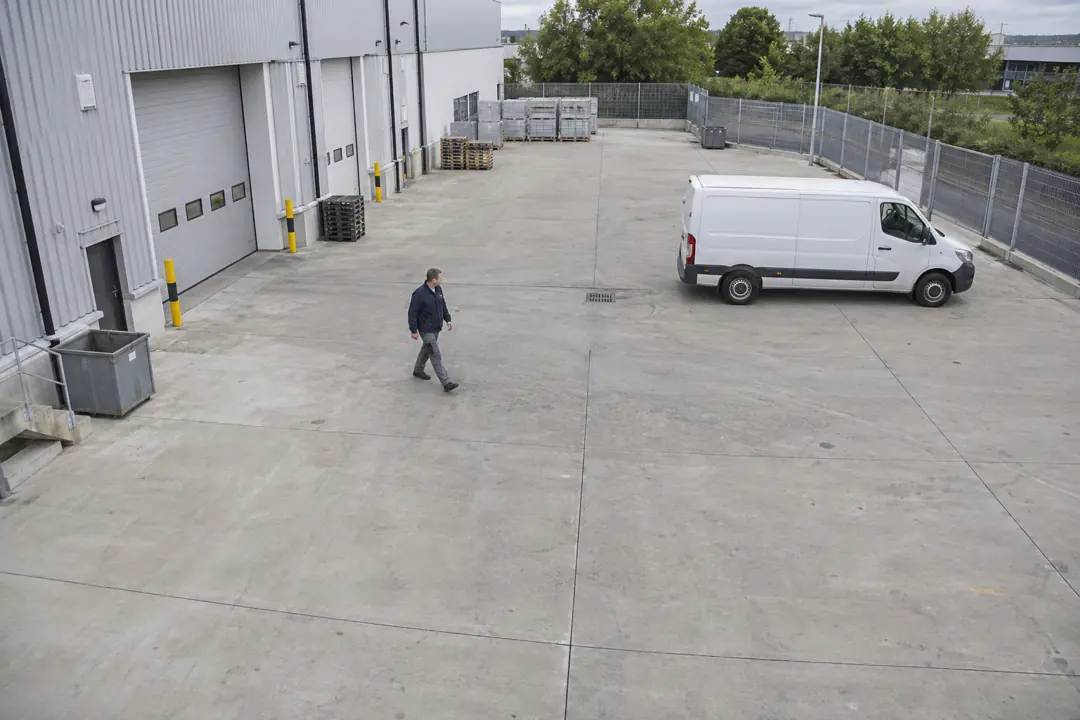 Intrusion
Works with what is already installed
- ImmixMonitoring integration
- Bold ManitouMonitoring integration
- StagesMonitoring integration
- ONVIFCamera discovery
- RTSPIP camera streams
No camera replacement, no rip and replace of your monitoring platform. MDIX sits between the two.
From seeing to knowing.
One connected path from your camera to the person who responds.
- 01
Connect your cameras
MDIX connects to your existing IP cameras and runs AI detection on a local appliance.
- 02
Define what matters
Set detection zones and schedules for each camera. Raise events for the activity your site needs to know about.
- 03
Give operators the evidence
Send events, snapshots and clips to your monitoring workflow, with integrations for Immix, Bold Manitou and Stages.
What it actually catches
Every detection type below is drawn per camera and can be scheduled by the hour, so a loading bay behaves differently at 2pm and 2am.
People and vehicles
The base classification everything else builds on. A person crossing a yard and a van reversing into it are different events with different rules.
Intrusion
Someone enters a zone you drew. The zone is a polygon on the camera image, not a rectangle, so it can follow a fence line or stop at a property boundary.
Loitering
Someone stays inside a zone longer than they should. Useful on forecourts and entrances where presence alone is normal and lingering is not.
Stationary objects
Something appears and stays, or something that was there is gone. Bags left behind, catalytic converters that are not.
Face matching
Faces checked against a watchlist you control. Matches raise their own event type and can be routed differently from everything else.
People counting
Occupancy and throughput across a line or an area, for the sites where the question is how many rather than whether.
Signals your operators can act on
MDIX was built against real monitoring platforms, not against a generic webhook. The mapping goes down to the zone.
- Per camera zone and area mapping
Each camera maps to the zone, area and input your platform already expects, so an MDIX signal lands where an alarm from a panel would.
- Filtered by detection type
A site that only wants people after hours does not get vehicle events all afternoon. Filtering happens before the signal is sent, not in the operator queue.
- Scheduled by the hour
A full week by hour, per integration. Cameras go active and quiet on their own without anyone remembering to arm them.
- Evidence links that expire
Event URLs are signed and time limited. An operator opens the clip without an account, and the link stops working on its own rather than sitting in an inbox forever.
- Acknowledgements come back
The Manitou integration handles reverse commands, so an operator acknowledging an alarm is reflected rather than guessed at.
- Heartbeats, not hope
Socket integrations hold a persistent connection with heartbeats. A dead link is visible as a dead link instead of as a quiet night.
What an operator sees

Each event carries its snapshot, its detection type and its clip, so deciding whether something is real takes one look rather than a hunt through a recorder.
Intelligence stays on site.
Detection runs on a GPU appliance on your network, connected to your existing cameras.
Events, snapshots and short clips can reach the cloud hub for review. Live viewing can also transmit video when requested; detection does not require continuous cloud streaming.
If connectivity drops, local detection continues. Events sync when the connection returns.
Sites that are empty when it matters
The pattern is the same everywhere: valuable things outdoors, a fence, and nobody there between six in the evening and six in the morning.
Plant, copper and fuel, on a site whose perimeter changes every week.
Auto dealerships and car lotsOpen forecourts, catalytic converters, and stock that drives away.
Self storageLong corridors, few staff, and access that has to stay unattended.
Logistics and truck yardsTrailers, fuel and a gate that legitimately opens at three in the morning.
Scrap and recyclingMetal prices make the yard itself the target, over a long perimeter.
Licensed per camera
You pay for the cameras you want watched, not for seats, not for events, and not for how much footage you keep. Adding an operator costs nothing. A quiet month costs the same as a busy one.
Current per camera pricing depends on the detection types a site needs and the size of the deployment. A 20 minute call is enough to get a real number.
The things people ask on the first call
Does MDIX work with the cameras I already have?
Yes. MDIX connects to existing IP cameras over RTSP and ONVIF, so there is no need to replace hardware. An on-site appliance pulls the streams and runs detection locally.
Which central station platforms does MDIX integrate with?
Immix, Bold Manitou and Stages. Each integration supports per-camera zone and area mapping, filtering by detection type, and a per-hour schedule so cameras only raise signals during the hours that matter.
Does video leave the site?
Detection runs on a GPU appliance at the customer premises. Events, snapshots and short clips can be sent to the cloud hub for review. Live viewing can also transmit video when requested. Local detection does not require continuous cloud streaming.
How are operators notified?
Through the central station platform, and directly by email, SMS or WhatsApp. Notifications carry a time-limited link to the event rather than an attachment, so an operator can view the footage without an account and the link expires on its own.
What can MDIX detect?
People and vehicles, intrusion into a defined area, loitering, objects left behind or removed, face matches against a watchlist, and people counting. Detection zones are drawn per camera.
What happens if the internet connection drops?
The site keeps detecting and recording. Events queue locally and sync to the cloud hub when the link returns. A cloud-only analytics product stops seeing anything during exactly the outage an intruder may be causing.
How is MDIX priced?
Per camera. There is no per-seat charge, no per-event charge and no charge based on how much footage is retained, so adding operators or having a busy month does not change the bill.
See it on your own cameras
The demo is a 20 minute call. Bring one camera you are unhappy with and we will show you what it would have caught.
Or call 1-844-634-4968